
There are a number of ways you can enroll to become a member of US Legal Services.
-
The company you work for can offer our plans as benefits.
-
The Union you belong to can offer our plans as benefits.
-
You are an individual not employed by a company or a member of a Union that offers our plans as benefits.
If your company or union offers our plans as a benefit, you will want to check with your:
-
Benefits Department
-
Human Resources
-
Employer Benefit Portal
If you are an individual not employed by a company or a member of a Union that offers our plans as benefits, and have not previously been a member, you can enroll on our website.
If you have previously been a member and wish to reenroll, you should contact our Member Care team.
-
Call: 800-356-LAWS (5297)
-
Email:care@uslegalservices.net
Enrollment Instructions
To enroll, individuals should:
-
Click the “Enroll Now” button.

-
This will direct you to the enrollment portal.
-
Step 1: Indicate CDL Status
Select whether or not you have a CDL license.

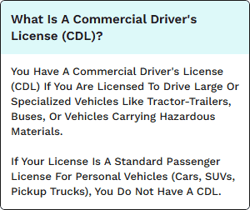
Depending on your answer, you will be asked one to two additional questions to help narrow down your plan selection.


When you have finished answering the questions, click Next.
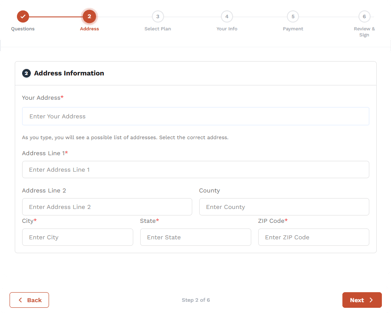
Step 2: Enter Address
-
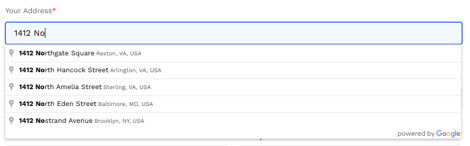
Enter your address in the validated field.
-
You must select their address from the dropdown menu.
-
Once entered, click “Next.”
Step 3: Choose a Plan
You will be shown the plans that match the answers to the questions you answered in Step 1, unless you are enrolling on a custom portal where no questions were offered. In this case, you will only see the plans available to you.
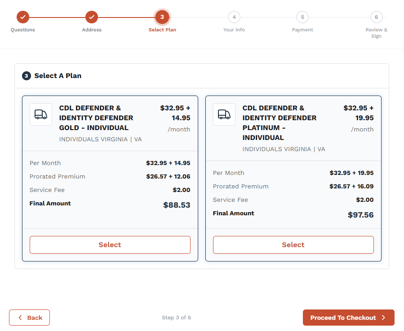
If you answered questions at the beginning of the process, you can click Back at any time to return to them and modify your answers.
Available plans and pricing are determined by the state of residence and CDL status.
We currently offer the following plans for individuals:
-
Yes > CDL
-
CDL Defender
-
-
Yes > Identity Defender > Yourself
-
Identity Defender Gold – Individual
-
Identity Defender Platinum - Individual
-
- Yes > Both > Yourself
-
CDL Defender & Identity Defender Gold – Individual
- CDL Defender & Identity Defender Platinum - Individual
-
-
Yes > Identity Defender > You and your family
- Identity Defender Gold
-
Identity Defender Platinum
-
Yes > Both > You and your family
-
CDL Defender & Identity Defender Gold
-
CDL Defender & Identity Defender Platinum
-
- No > Yourself
-
Identity Defender Gold – Individual
- Identity Defender Platinum - Individual
-
-
No > You and your family
-
Identity Defender Gold
-
Identity Defender Platinum
-
To select a plan, all you need to do is click the "Select" button at the bottom of the plan card you wish to enroll in.

It will change to "Selected" to identify it as the selected plan.

The price total will appear below the plan selection for you to review. You will need to scroll down to view it. The "Selected Plan Information" will adjust based on the plan you select.
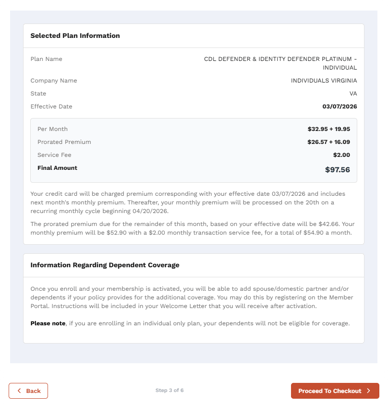
Make sure you read the Information Regarding Dependent Coverage section at the bottom..
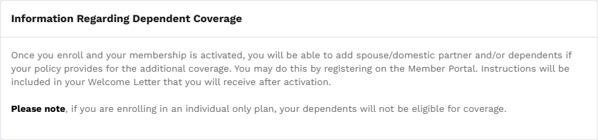
If you are satisfied, click Proceed to checkout.
Step 4: Enter Personal Information
All fields are required.
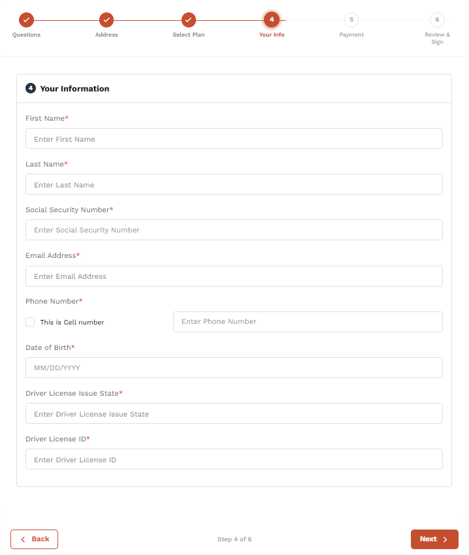
Once you have completed filling out the form, click Next.
Step 5: Enter Payment Information
-
Provide credit card details.
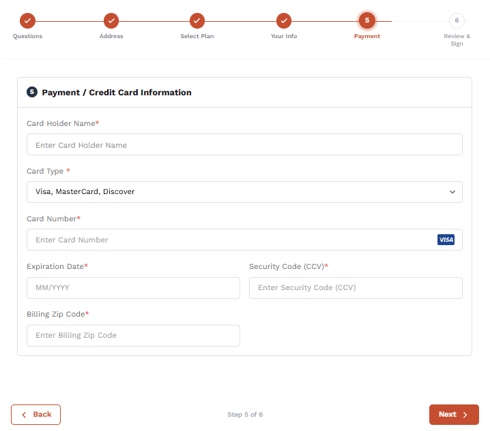
-
Click Next to complete enrollment.
Step 6: Disclaimer
Please read and accept the terms.
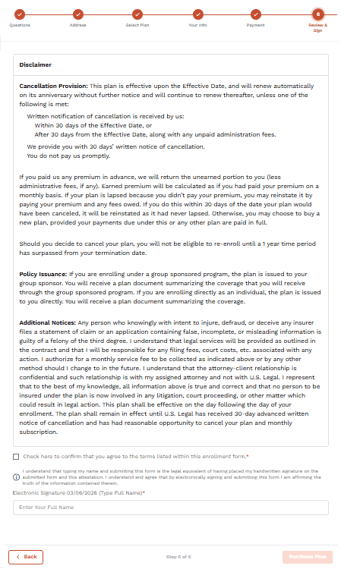
-
Check the box and electronically sign to agree to the Terms.
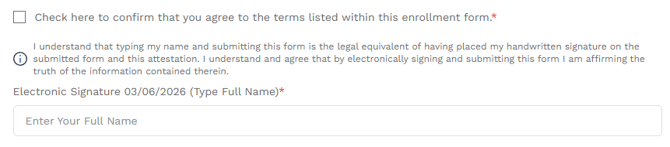
-
Click Purchase Plan.
If you are successful, they will see the following message.
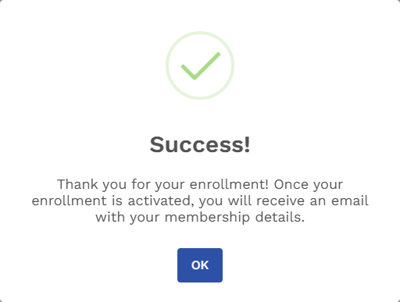
On rare occasions, some of the information entered in Step 4 could trigger a warning if it corresponds to information that preexists in our member system.
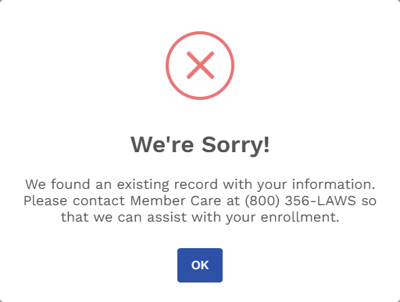
If this happens, you will need to contact our Member Care team so they can help you resolve the issue.
-
Call: 800-356-LAWS (5297)
-
Email:care@uslegalservices.net