
To update your profile information in the member portal, follow these steps.
-
Log in to the member portal.
-
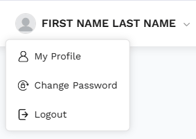
Click on your name in the top right of the screen.
-
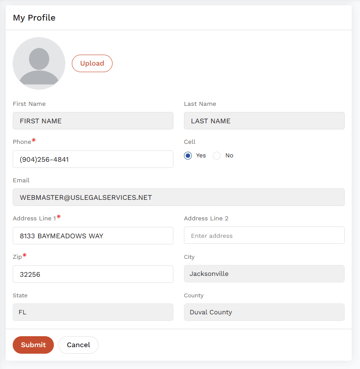
Select My Profile from the dropdown menu.
-
Make any changes you wish to make and click Submit.

Note: If you are a commercial driver and have our CDL Defender coverage, you can also update your cell phone, license state, and license number on the Submit a Citation screen.

Click on Update my Information.
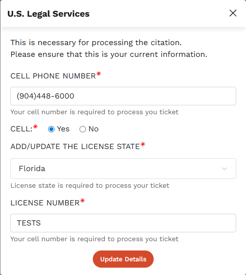
It's good practice to review this information each time you submit a citation.